

Last week, I needed marketing assets for my course launch: product shots, lifestyle photos, marketing banners, mockups, infographics, and promotional posters.
If I’d hired a designer, that’s easily $12,000 worth of work. Timeline? Two weeks minimum, plus revision cycles.
I built all of it in 3 hours using Nano Banana…Google’s free Gemini Flash image model.
Nano Banana is designed for rapid image generation with subject consistency. It handles conversational edits, maintains quality across iterations, and creates production-ready assets without Photoshop.
What makes it different from other AI image tools? It keeps your subject consistent across multiple edits, which means you can iterate fast without losing visual coherence.
Here’s how to get started:
Go to Gemini.Google.App
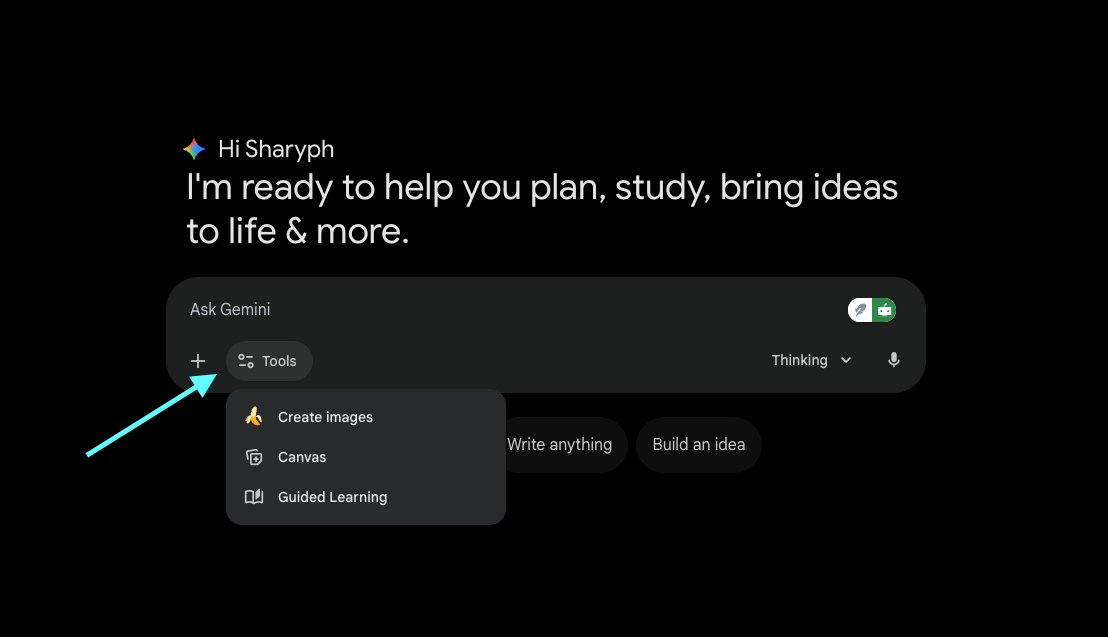
To create an image: Tools > Create images
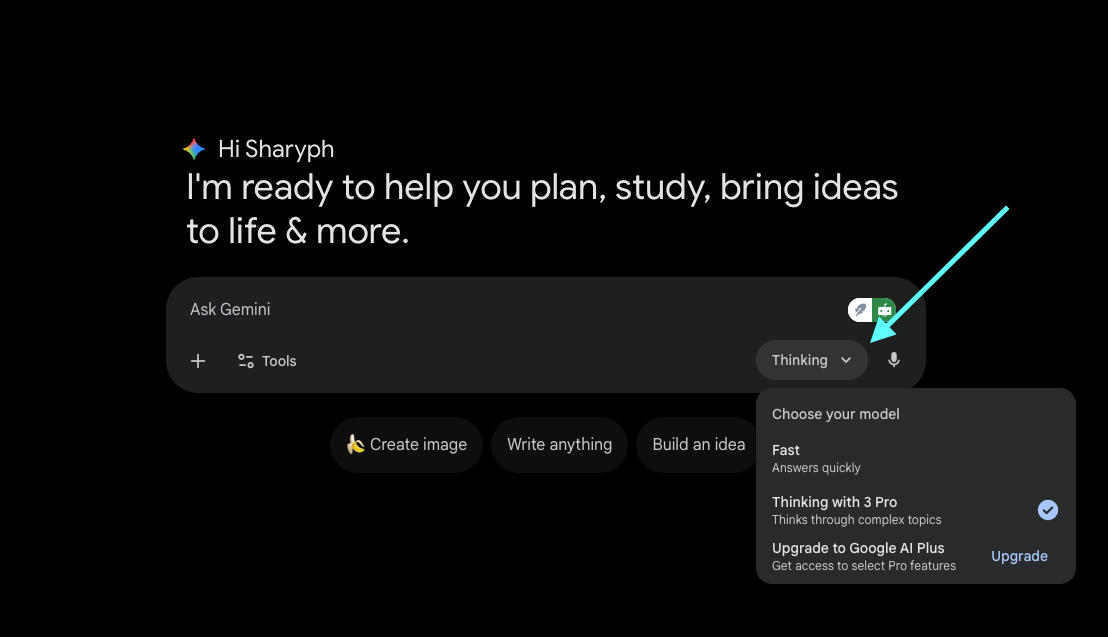
To choose the model: Click “Thinking” and select Nano Banana
In this newsletter, I’m sharing the 16 specific prompts I used to build product photography, mockups, marketing banners, infographics, and launch assets.
I’ve grouped these 16 uses into 4 categories:
Product Photography & Visualization (6 prompts) — Product shots, angles, variations, and knolling layouts
Mockups & Brand Applications (4 prompts) — Branded merchandise, digital products, and text-rich marketing assets
Marketing & Advertising Creatives (4 prompts) — Lifestyle photos, SaaS visuals, banners, and posters
Educational & Informational Content (2 prompts) — Infographics and whiteboard illustrations
Each section includes the exact prompt I used and a real example from my workflow.
If you’re building a digital product business with AI and want systematic approaches, join The Digital Creator newsletter. No fluff, just practical systems that generate revenue.
Now, let me show what I have created 👇
Product Photography & Visualization
1. Generating Product Shots and Ad Creatives
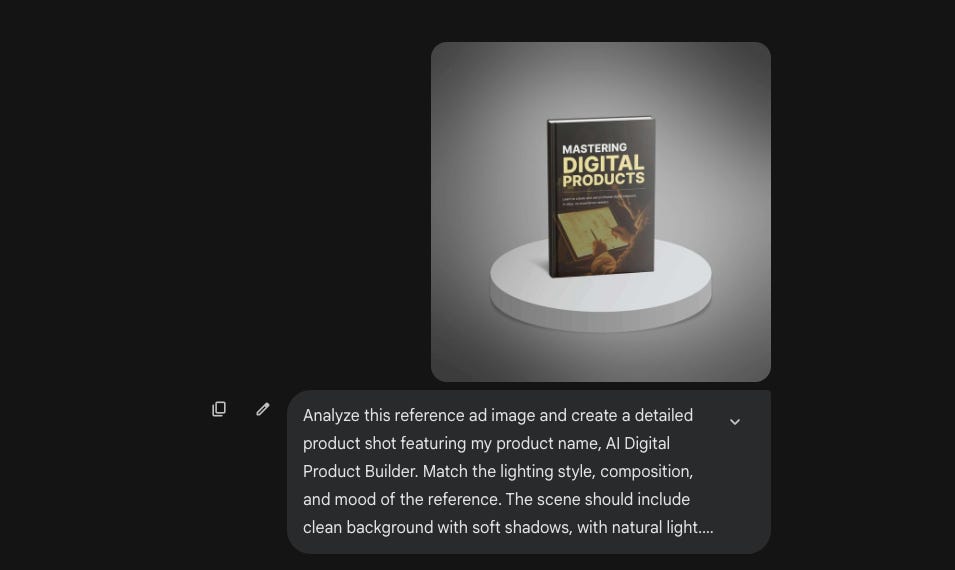
Nano Banana excels at generating product shots that match specific aesthetic references. You can feed it an ad you found on Pinterest and ask it to recreate that lighting style, composition, and mood for your own product.
This eliminates the guesswork of trying to describe what you want. Just show it an example and let it extract the visual principles.
Prompt:
Analyze this reference ad image and create a detailed product shot featuring [YOUR PRODUCT]. Match the lighting style, composition, and mood of the reference. The scene should include [SPECIFIC ELEMENTS: e.g., “clean white background with soft shadows,” “lifestyle setting with natural light,” “minimalist aesthetic”]. Focus on making the product the hero of the image while maintaining the visual style of the reference.How I used it:
I found a product shot aesthetic I liked and asked Nano Banana to recreate it for my AI Digital Product Builder course.
After adjusting the colors to match my branding (teal/cyan accents, black background), here’s what it generated:
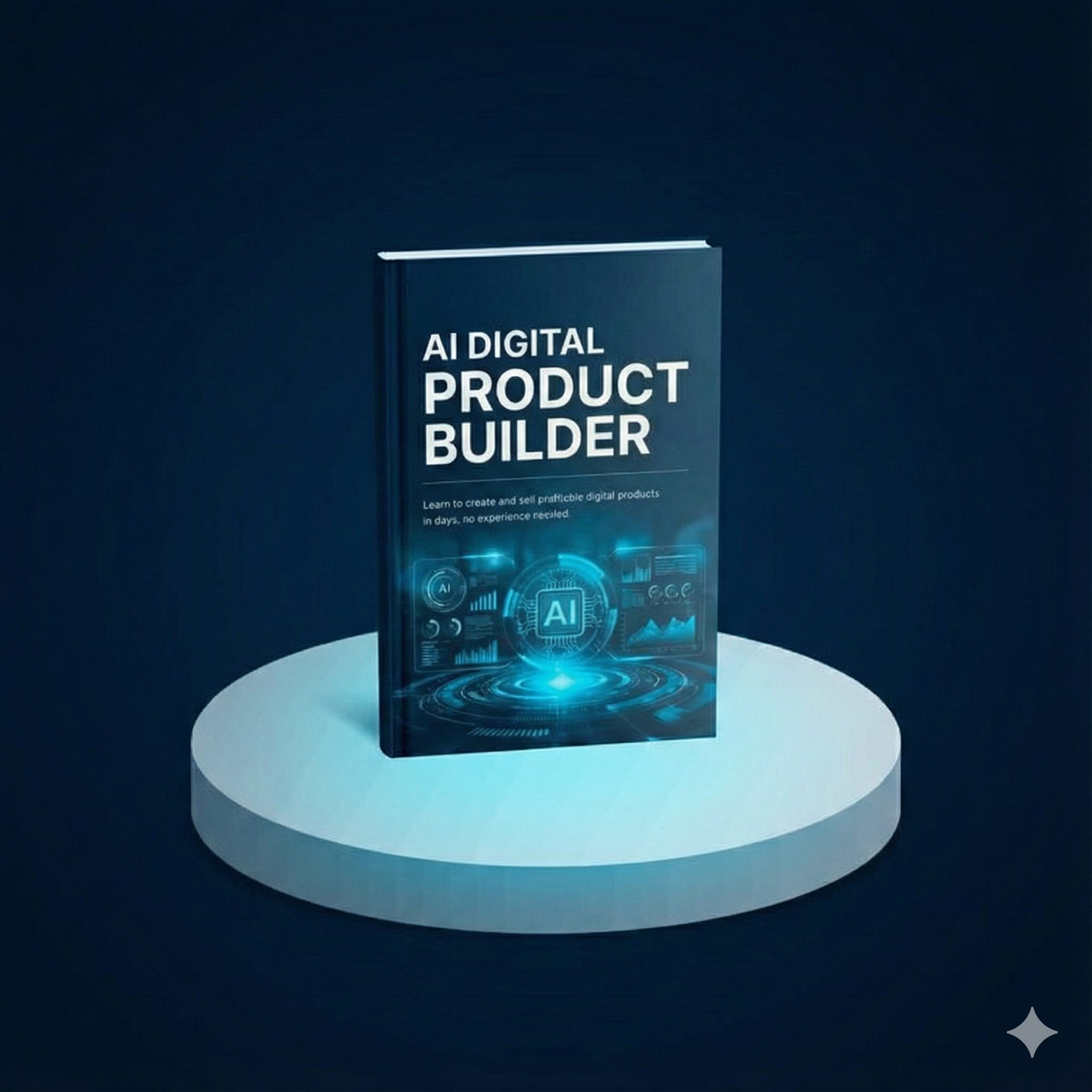
This is an actual course I’m launching on December 17th.
If you want to learn how to build a digital product and create automated monetization systems with AI, join the waitlist now.
2. Blending Multiple Images
Nano Banana can blend two images together seamlessly.
The key is limiting it to two images maximum for predictable results. This works well when you want to integrate a product into a lifestyle scene or combine separate elements into a single composition.
Prompt:
Blend these two images seamlessly: [IMAGE 1: product image] and [IMAGE 2: lifestyle scene/person]. Create a natural composition where the product appears authentically integrated into the scene.

The final image should:
- Maintain consistent lighting across both elements
- Match color temperature and shadows
- Look like a single photograph, not a composite
- Place the product in [SPECIFIC POSITION: foreground, being held, on table, etc.]
How I used it:
I blended my course product image with a lifestyle scene to create a more contextual marketing visual.
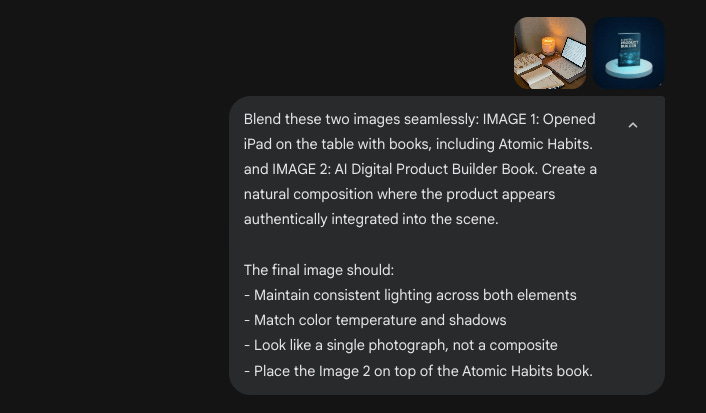
The output:
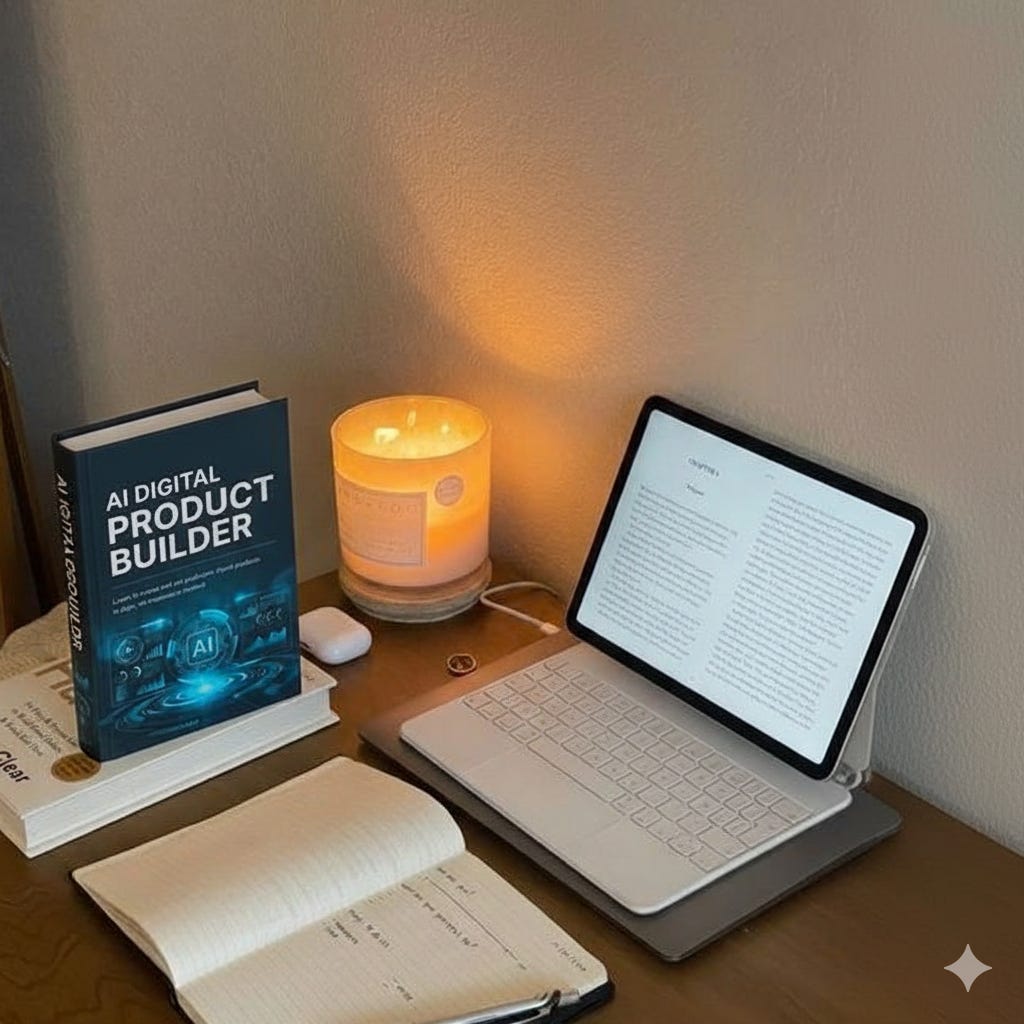
3. Knolling (Product Photography)
Knolling creates perfectly organized, symmetrical flat-lay product shots…essential for modern e-commerce and DTC marketing. Nano Banana handles precision spacing, even alignment, and top-down layouts without manual arranging.
Use this for product catalogs, bundle showcases, unboxing content, Instagram posts, and Shopify listings. The AI understands spatial relationships and shadow placement, creating compositions that look professionally photographed.
Prompt:
Create a knolling layout featuring [PRODUCT CATEGORY: skincare products, tech accessories, coffee brewing tools, travel essentials].

Arrangement:
- Perfectly aligned grid with equal spacing between items
- Top-down 90-degree view
- Items arranged at 90-degree angles to borders
- Symmetrical and organized composition

Visual specifications:
- Background: [clean white, soft gray, marble surface, wooden table]
- Lighting: soft, even illumination with minimal shadows
- Shadow direction: consistent across all objects
- Include [NUMBER] items total
- Color palette: [minimal/monochrome, vibrant, natural tones]
- Style: [minimalist DTC aesthetic, luxury brand, lifestyle casual]

Ensure all items are:
- Clearly visible and distinguishable
- Properly scaled relative to each other
- Crisp and in sharp focus
- Creating negative space for text overlay potential
The Output:
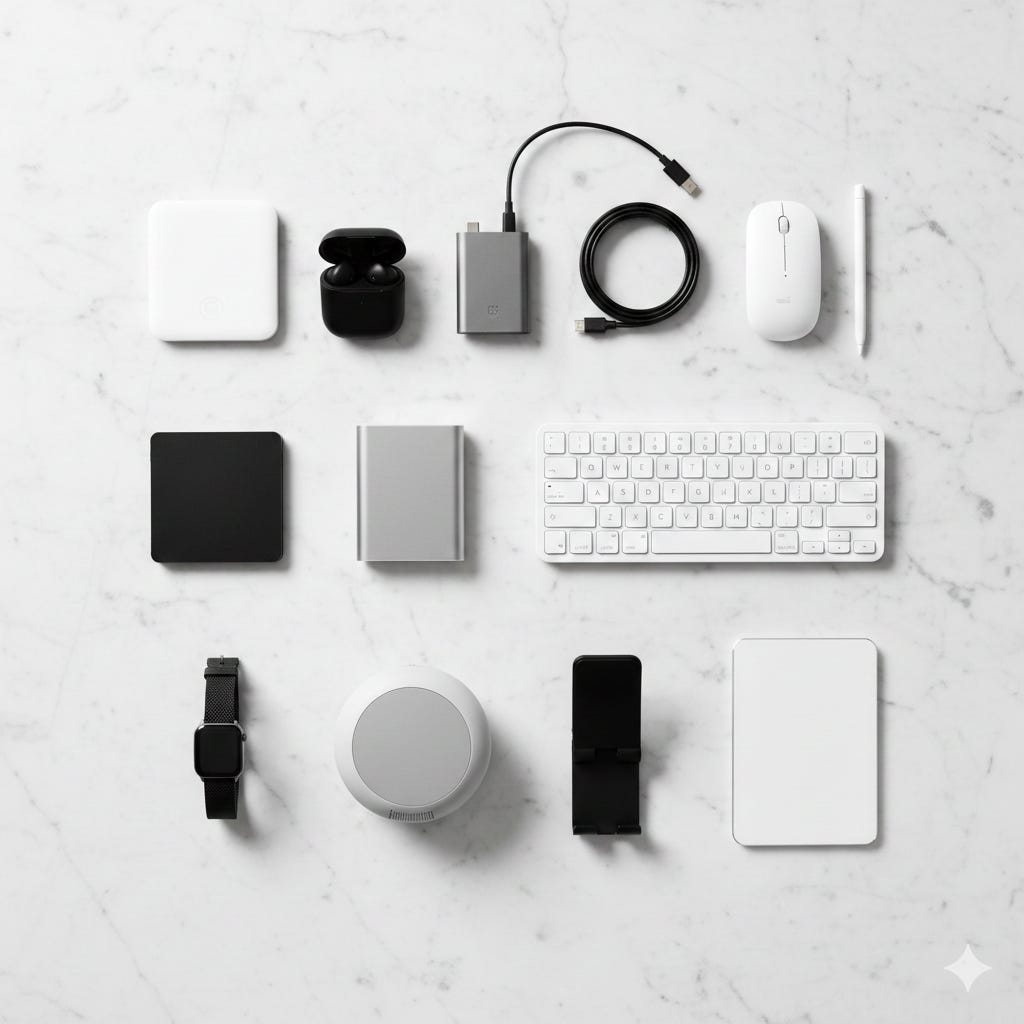
4. Generating Different Product Angles
You can request specific product angles—45-degree views, top-down shots, close-ups, or opened positions…while maintaining consistent lighting and background.
This is useful when building product pages that need multiple perspectives.
Prompt:
Generate this product from a [SPECIFIC ANGLE: 45-degree angle, top-down view, side profile, three-quarter view, opened/unfolded position, close-up detail shot].

Maintain:
- Same lighting conditions
- Identical background
- Consistent product details and texture
- Professional product photography quality
- Sharp focus on the product
How I used it:
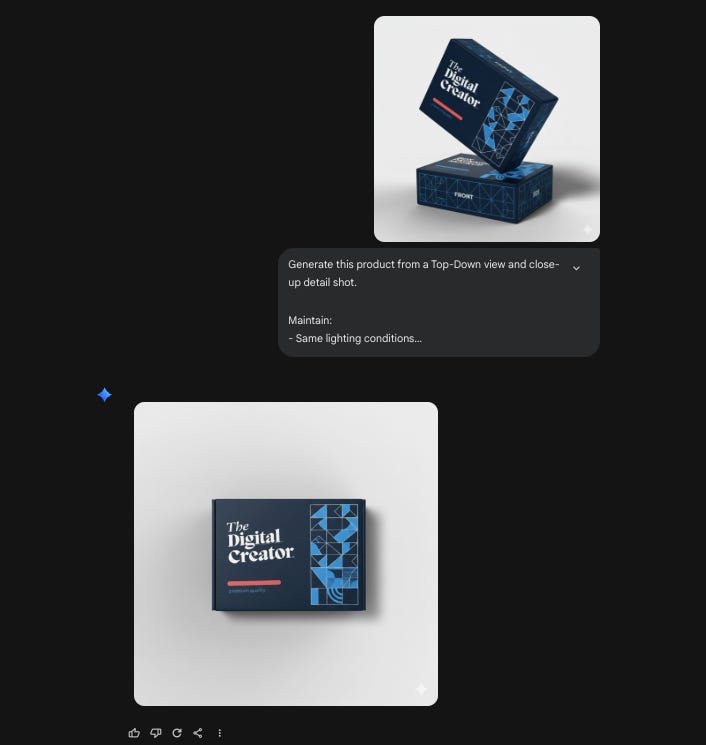
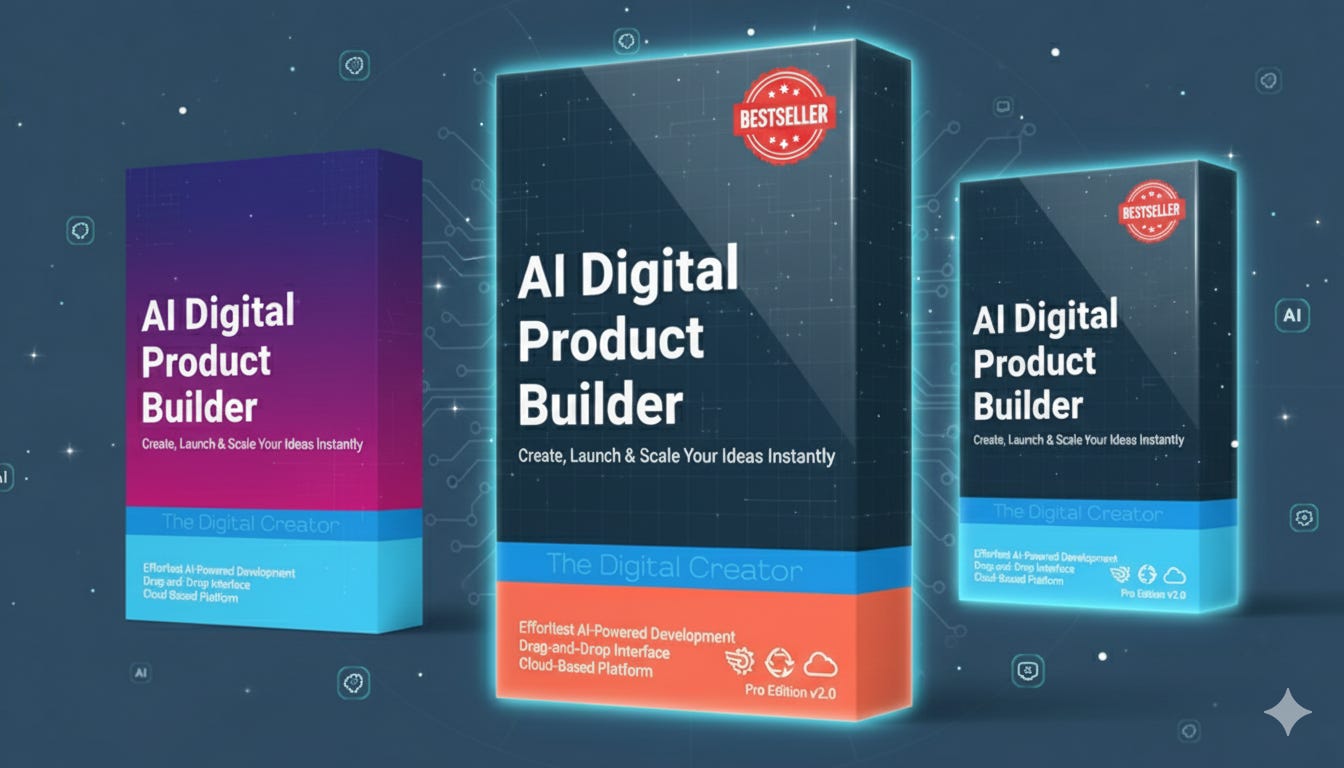
5. Creating Product Variations for Polling
Create multiple product variations quickly for social media polls.
This lets you gauge interest in different colors, materials, or design elements before investing in production.
Each variation maintains the same angle, lighting, and positioning…only the specific design element changes.
Prompt:
Generate 3 distinct variations of this product for social media polling:

Variation 1: [DESCRIBE CHANGE: different color scheme]
Variation 2: [DESCRIBE CHANGE: alternative material/finish]
Variation 3: [DESCRIBE CHANGE: different pattern/design element]


Keep all variations at the same angle, with identical lighting and background. Each should be clearly distinguishable but equally appealing. Optimize for Instagram story polls (1080x1920).

Requirements for all variations:
- Keep the exact same 3D angle and perspective
- Maintain identical lighting direction and shadows
- Preserve the same dark blue gradient background
- Keep the box positioned in the same spot
- Ensure text remains clearly readable
- Each variation should look equally premium and professional
- Optimize for Instagram story polls (1080x1920 vertical format)
- Make variations clearly distinguishable at a glance
The Output:
6. Applying Product Patterns
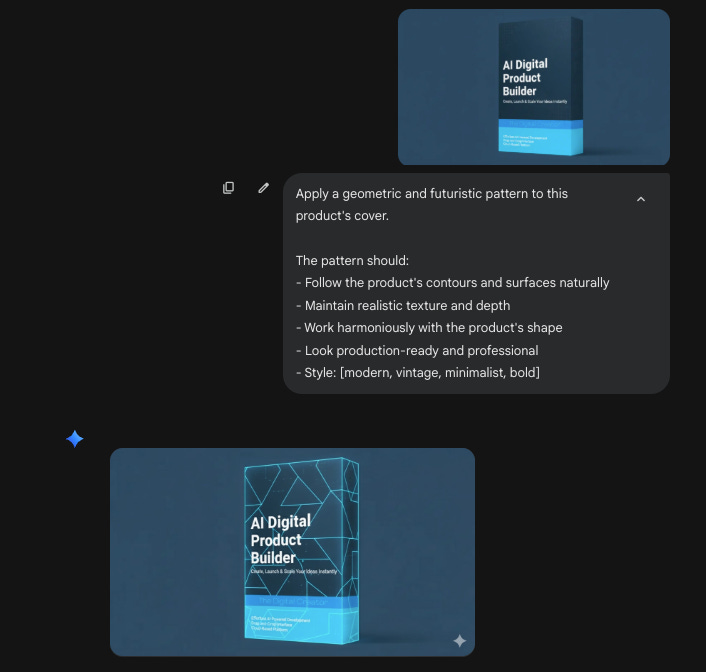
Nano Banana can apply patterns (floral, geometric, abstract, watercolor) onto product surfaces while following the product’s contours naturally. This creates realistic previews for pattern-based products like notebooks, phone cases, or packaging.
Prompt:
Apply a [PATTERN TYPE: floral, geometric, abstract, watercolor] pattern to this product’s [SURFACE: cover, exterior, body].

The pattern should:
- Follow the product’s contours and surfaces naturally
- Maintain realistic texture and depth
- Work harmoniously with the product’s shape
- Look production-ready and professional
- Style: [modern, vintage, minimalist, bold]
How I used it:
Mockups & Brand Applications
1. Building Product Mockups
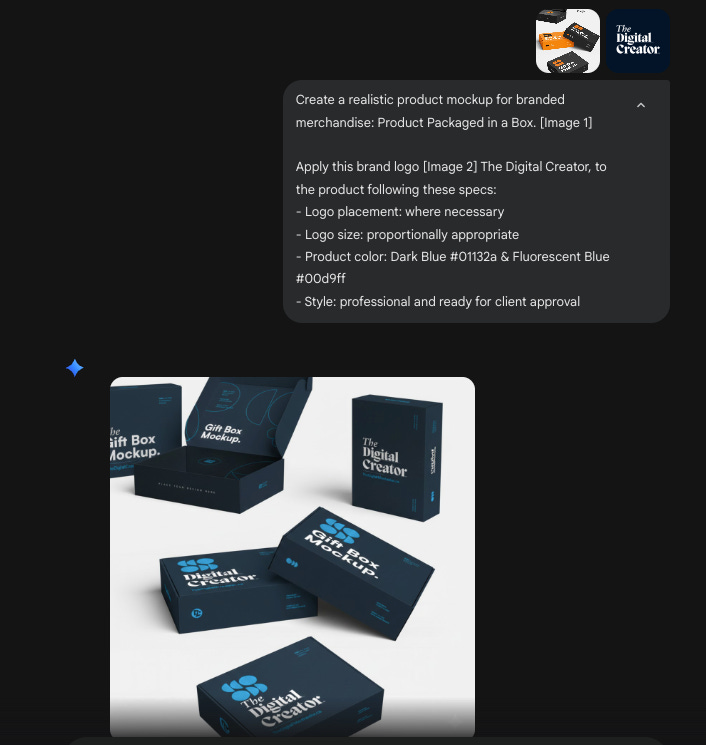
When building proposals for clients or stakeholders, you need realistic product mockups fast. Nano Banana creates branded merchandise mockups…baseball caps, t-shirts, tote bags, water bottles…by applying your logo to products with proper placement and proportions.
This eliminates the need for mockup templates or Photoshop work. Just upload your logo and describe the product.
Prompt:
Create a realistic product mockup for branded merchandise: [PRODUCT TYPE: baseball cap, t-shirt, tote bag, water bottle].

Apply this brand logo [ATTACH LOGO] to the product following these specs:
- Logo placement: [front center, left chest, all-over print, etc.]
- Logo size: [proportionally appropriate]
- Product color: [specify color]
- Style: professional and ready for client approval
- Show the product from the most flattering angle
How I used it:
2. Modeling Branded Merchandise
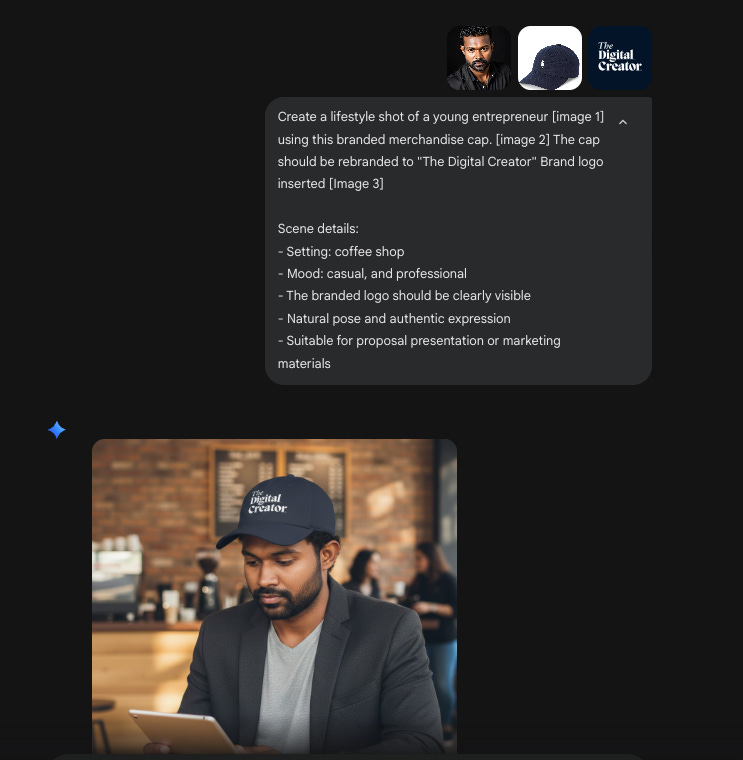
Once you have the product mockup, you can generate lifestyle shots showing a model wearing or using the branded merchandise.
This creates proposal-ready visuals that help clients visualize the final product in context.
Prompt:
Create a lifestyle shot of [PERSON DESCRIPTION: young professional, athlete, student, entrepreneur] wearing/using this branded merchandise [PRODUCT: cap, t-shirt, hoodie].

Scene details:
- Setting: [urban street, coffee shop, office, outdoor]
- Mood: [casual, professional, active, aspirational]
- The branded logo should be clearly visible
- Natural pose and authentic expression
- Suitable for proposal presentation or marketing materials
How I used it:
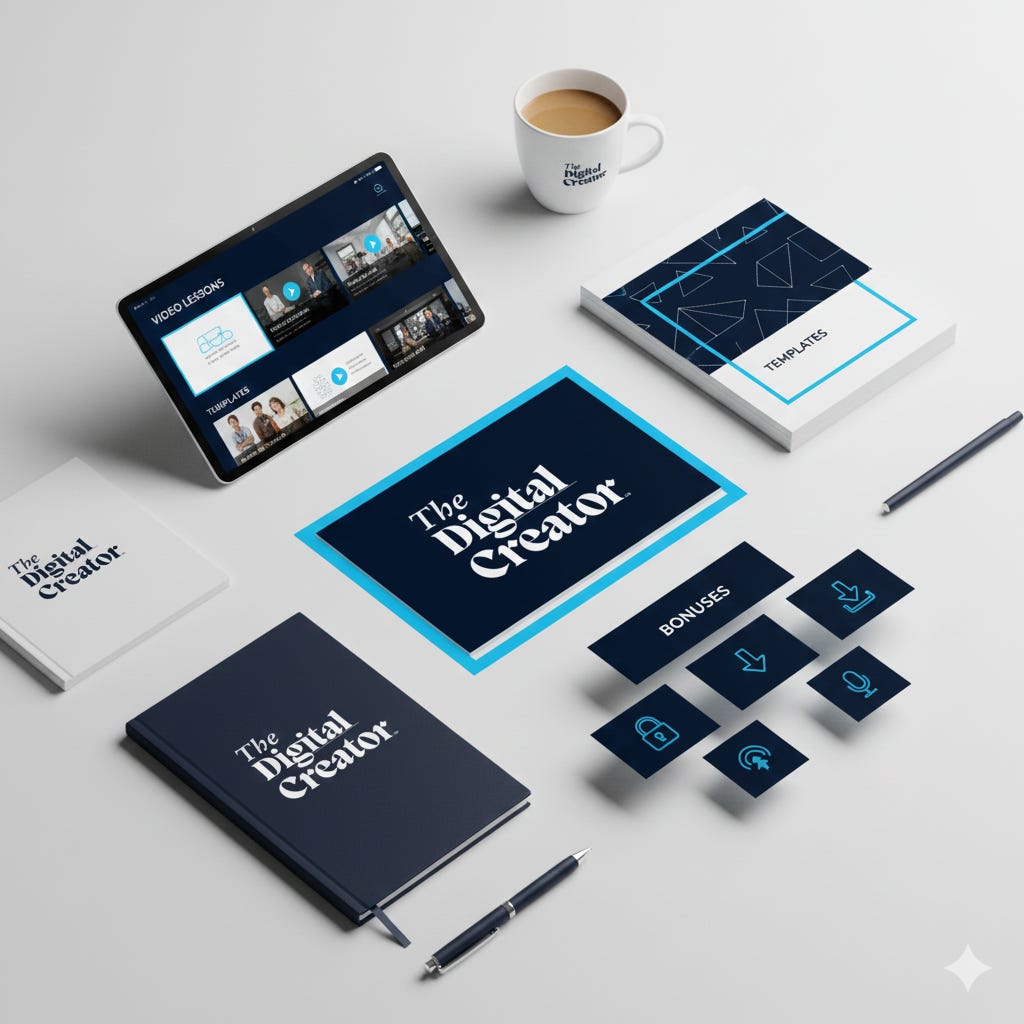
3. Creating Digital Product Mockups
This same approach works for digital products.
You can create premium product bundle mockups for online courses, ebook collections, template packs, or toolkits.
The AI generates professional-looking 3D arrangements or device mockups that make digital products feel tangible.
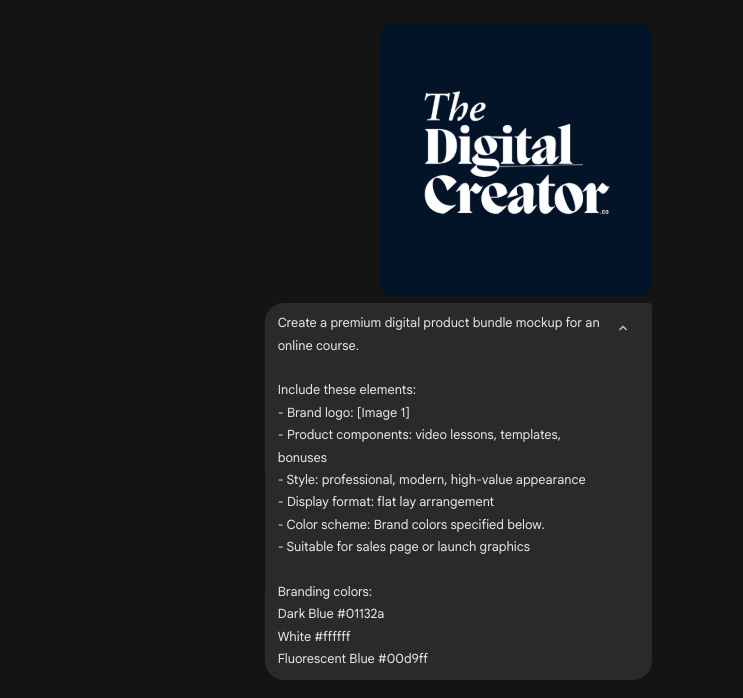
Prompt:
Create a premium digital product bundle mockup for [PRODUCT TYPE: online course, ebook collection, template pack, toolkit].

Include these elements:
- Brand logo: [ATTACH]
- Product components: [list items: video lessons, workbooks, templates, bonuses]
- Style: professional, modern, high-value appearance
- Display format: [digital devices mockup, flat lay arrangement, 3D presentation]
- Color scheme: [specify brand colors]
- Suitable for sales page or launch graphics
How I used it:
The Output:
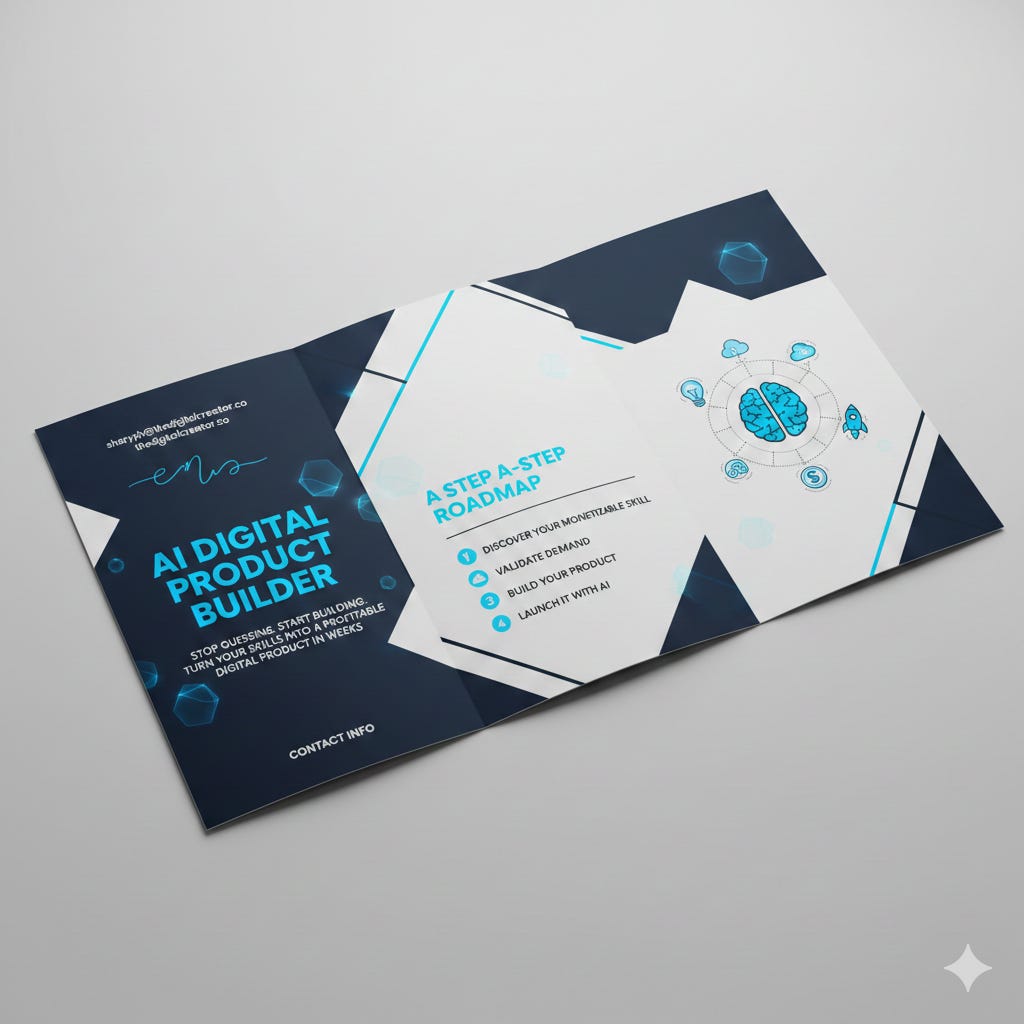
4. Text-Rich Marketing Assets
Nano Banana creates professional marketing materials that seamlessly integrate text and imagery…business cards, wedding invitations, promotional flyers, event announcements, and brochures.
The AI positions text legibly within visuals while maintaining design hierarchy, proper spacing, and aesthetic appeal.
This saves hours of manual layout work and ensures production-ready quality for both print and digital use.
Perfect for service providers, coaches, and small business owners who need professional collateral quickly.
Prompt:
Design a [ASSET TYPE: business card, wedding invitation, event flyer, promotional brochure, announcement card] with integrated text and imagery.

Text content:
- Primary text: “[MAIN HEADING/NAME]” - [bold, elegant, modern]
- Secondary text: “[SUBTITLE/TAGLINE/DATE]”
- Details: [contact info, address, website, phone number]
- Additional copy: [brief description or key details]

Typography specifications:
- Font style: [modern sans-serif, elegant serif, handwritten script, bold geometric]
- Hierarchy: clear distinction between headline, subheading, and body text
- Text color: [specify colors that contrast with background]
- Text placement: [centered, left-aligned, distributed across layout]

Background/imagery:
- Background style: [geometric patterns, watercolor texture, minimalist solid, photography-based]
- Visual elements: [floral borders, abstract shapes, product images, decorative accents]
- Color palette: [specify 2-4 colors]

Design specifications:
- Layout: [balanced and symmetrical, asymmetric modern, traditional formal]
- White space: adequate breathing room around text
- Visual style: [corporate professional, creative and artistic, luxury elegant, casual friendly]
- Dimensions: [business card size 3.5”x2”, invitation 5”x7”, flyer 8.5”x11”, square social post]

Ensure all text is:
- Crisp and perfectly legible
- Properly sized for readability
- Well-positioned within the composition
- Integrated naturally with design elements
The Output:
Marketing & Advertising Creatives
1. Creating Lifestyle Marketing Photos
Lifestyle marketing photos help customers visualize your product in their lives. The key is providing specific context through target personas…urban commuters, university students, casual travelers. The more specific the persona, the more authentic the scene.
This approach generates contextual product photography that converts better than isolated product shots.
Prompt:
Create a lifestyle marketing photo featuring [PRODUCT NAME] being used by [TARGET PERSONA: e.g., “a 28-year-old urban commuter,” “a university student studying in a coffee shop,” “a casual traveler at an airport lounge”].

The scene should:
- Show the product in natural use
- Include realistic environmental context [SPECIFY: home office, coffee shop, gym, etc.]
- Use natural lighting
- Convey [DESIRED EMOTION: convenience, productivity, relaxation, style]
- Be suitable for Instagram feed or website hero section
How I used it:
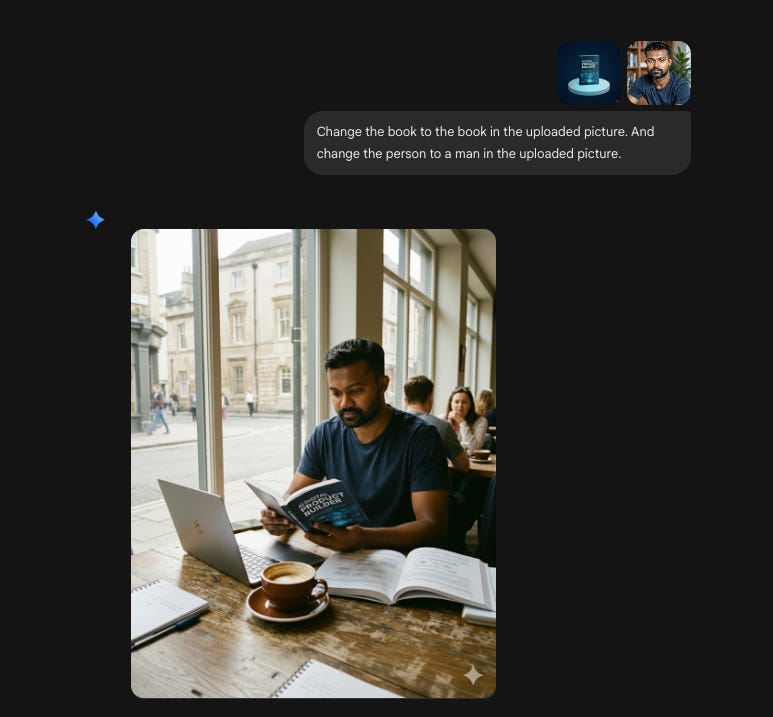
I created a lifestyle shot featuring my course materials being used by a creator in a workspace setting.
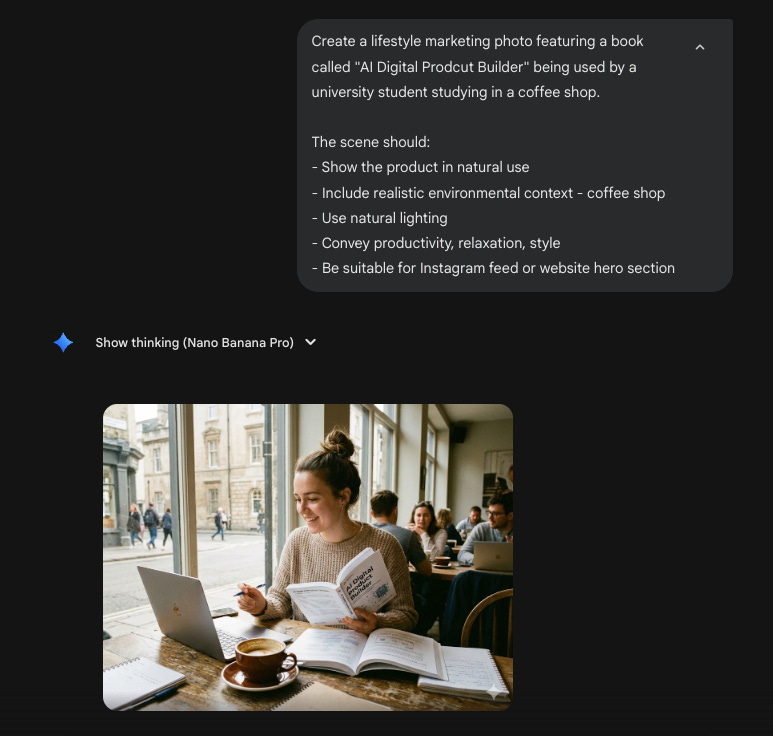
I went deeper with this…asking Nano Banana to change the book cover and even swap in my own likeness to create more personalized marketing visuals.
2. Designing SaaS Marketing Visuals
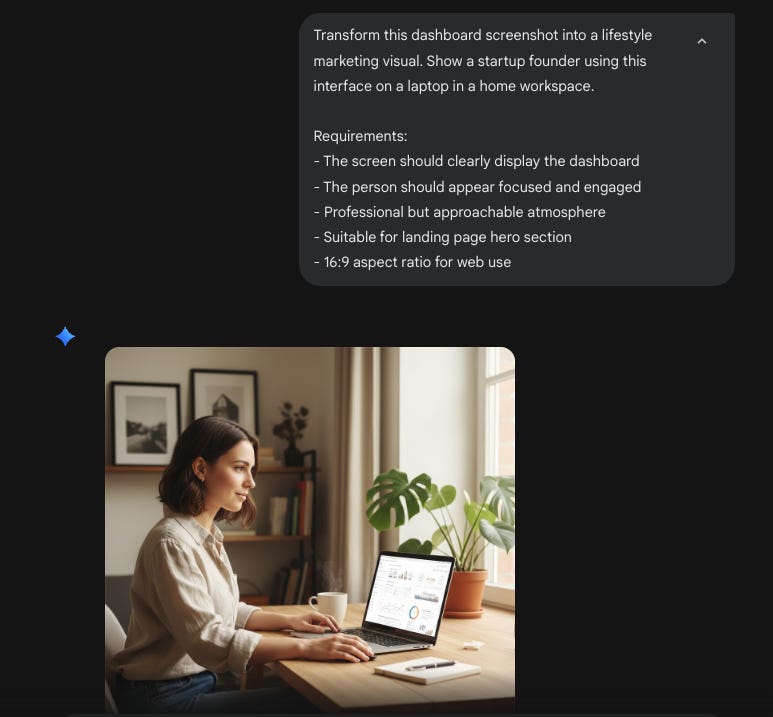
For SaaS products, you can transform dashboard screenshots into lifestyle marketing visuals.
Input a screen capture and ask Nano Banana to generate a photo of your target audience (startup founder, UX designer, marketing manager) using the interface on a laptop in a relevant setting.
This creates landing page hero sections that show your product in context rather than just displaying the interface alone.
Prompt
Transform this dashboard screenshot into a lifestyle marketing visual. Show [TARGET AUDIENCE: e.g., “a busy marketing manager,” “a UX designer,” “a startup founder”] using this interface on a laptop in [SETTING: modern office, home workspace, coffee shop].

Requirements:
- The screen should clearly display the dashboard
- Person should appear focused and engaged
- Professional but approachable atmosphere
- Suitable for landing page hero section
- 16:9 aspect ratio for web use
How I used it:
3. Creating Marketing Banners
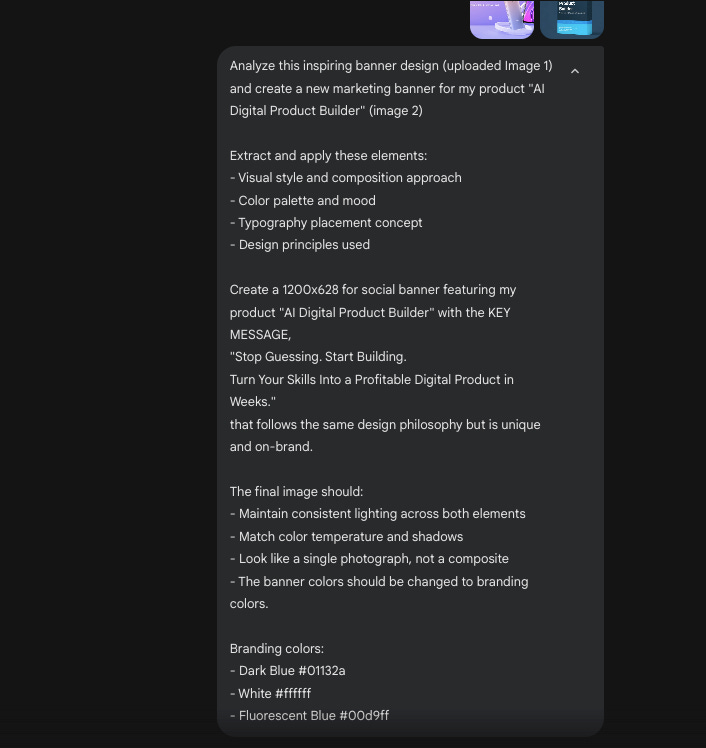
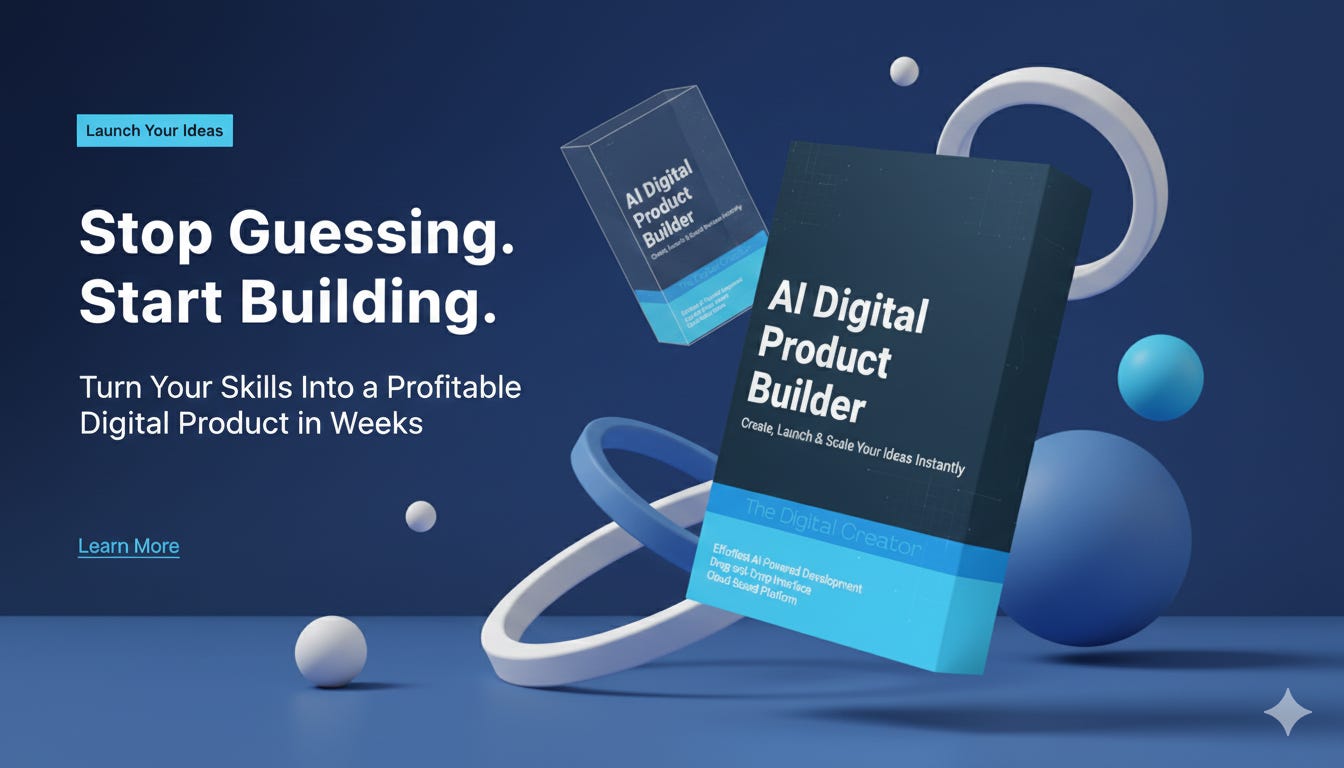
Nano Banana generates custom marketing banners by analyzing inspiring visuals and extracting their design principles.
This helps you avoid generic stock photos and create high-impact creatives that match your brand.
The AI identifies visual style, composition approach, color palette, and typography placement…then applies those principles to your specific brand and message.
Prompt:
Analyze this inspiring banner design and create a new marketing banner for [YOUR BRAND/PRODUCT].

Extract and apply these elements:
- Visual style and composition approach
- Color palette and mood
- Typography placement concept
- Design principles used

Create a [DIMENSIONS: 1200x628 for social, 728x90 for web, etc.] banner featuring [MAIN SUBJECT] with [KEY MESSAGE] that follows the same design philosophy but is unique and on-brand.

The final image should:
- Maintain consistent lighting across both elements
- Match color temperature and shadows
- Look like a single photograph, not a composite
- The banner colors should be changed to branding colors.


Branding colors: [add branding colors]
How I used it:
The Output:
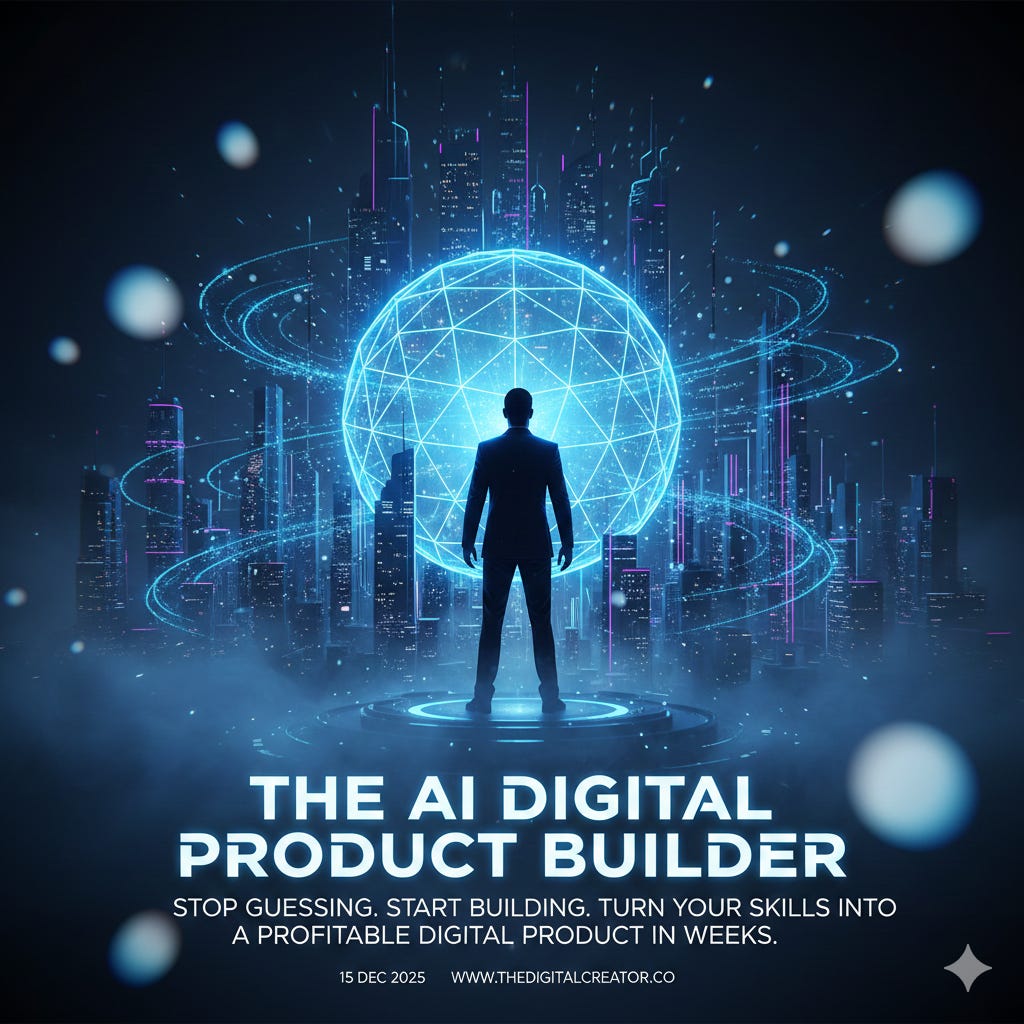
4. AI Poster Design
Generate high-impact, cinematic-quality posters for events, product launches, movies, concerts, and promotional campaigns. Nano Banana handles complex typography, layered compositions, and dramatic visual effects that rival professional design studios.
Create event announcements, movie-style promotions, album art, or marketing posters with bold visual impact and production-ready quality suitable for both print and digital distribution.
Prompt:
Create a [POSTER TYPE: movie, concert, event, product launch] poster with cinematic quality.

Main subject:
- Central image: [describe main visual: cityscape at night, artist portrait, product hero shot, dramatic scene]
- Mood: [thriller, celebration, luxury, excitement, mystery]
- Atmosphere: [fog effects, neon lights, dramatic lighting, ethereal glow]

Typography elements:
- Main title: “[TITLE TEXT]” - bold, attention-grabbing, [specify style: bold sans-serif, dramatic serif, custom lettering]
- Subtitle/tagline: “[TAGLINE]” - smaller, supporting text
- Additional details: [date, venue, website, credits] in smaller readable font
- Text placement: [top third, center, bottom third]

Color palette:
- Primary colors: [specify 2-3 colors]
- Lighting: [golden hour, neon glow, high contrast shadows, soft atmospheric]
- Overall tone: [dark and moody, bright and vibrant, muted and elegant]

Visual effects:
- [Light rays, particle effects, fog, bokeh, gradient overlays, texture]
- Background: [urban landscape, abstract, starfield, solid with vignette]

Composition:
- Aspect ratio: [vertical poster 2:3, square 1:1, horizontal 16:9]
- Visual hierarchy: title dominates, supporting text readable
- Style: [cinematic blockbuster, indie film aesthetic, concert flyer, luxury brand]
The Output:
Educational & Informational Content
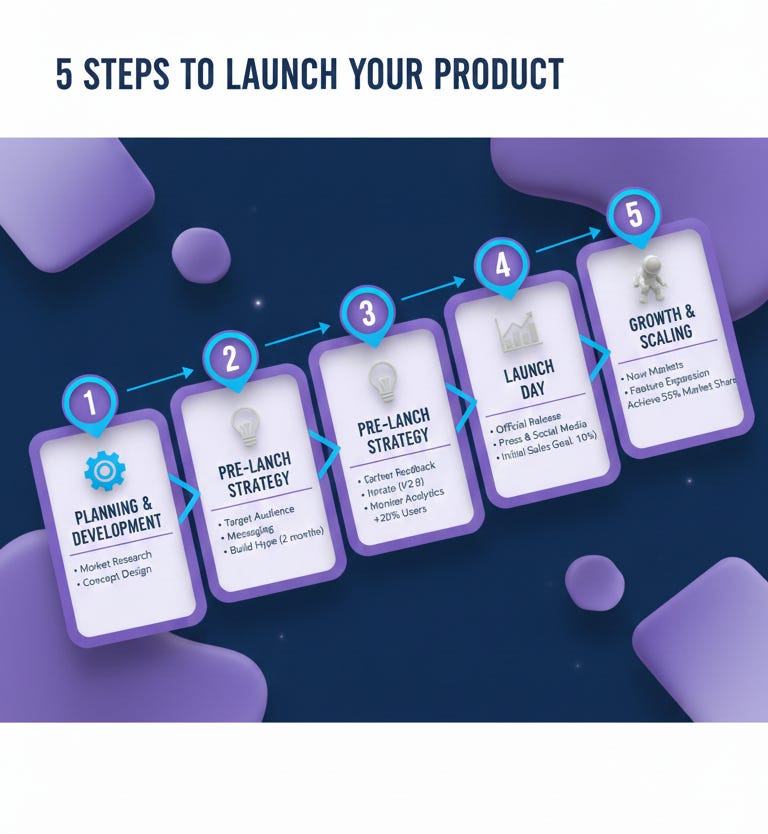
1. AI Infographics
Transform complex information into structured, visually organized infographics with accurate text rendering and professional layouts. Nano Banana handles data points, process flows, comparisons, timelines, and step-by-step guides with clean hierarchy and readable typography.
Perfect for educators, consultants, coaches, and content creators who need explanation-first graphics without opening design software. The AI understands visual hierarchy, so key information naturally stands out.
Prompt:
Create an infographic titled “[TITLE: 5 Steps to Launch Your Product, The Creator Revenue Model, How AI Tools Save Time]”

Content structure:
- Main sections: [list 3-5 key points or steps]
- Data points: [include specific numbers, percentages, or metrics if applicable]
- Visual flow: [top to bottom, left to right, circular, timeline format]

Design specifications:
- Layout: [vertical single column, multi-column grid, circular/radial, timeline]
- Include labeled boxes/sections for each main point
- Connecting elements: [arrows, lines, numbered steps]
- Icons or visual indicators for each section
- Color scheme: [specify 2-3 colors: blue and white, orange and gray, etc.]

Typography:
- Main headline: bold, large, clear
- Section headers: medium weight, easily scannable
- Body text: clean sans-serif, highly readable
- All text must be crisp and legible

Style: [modern and clean, corporate professional, playful and casual, minimalist]
Aspect ratio: [square for Instagram, vertical for stories, horizontal for presentations]
The Output:
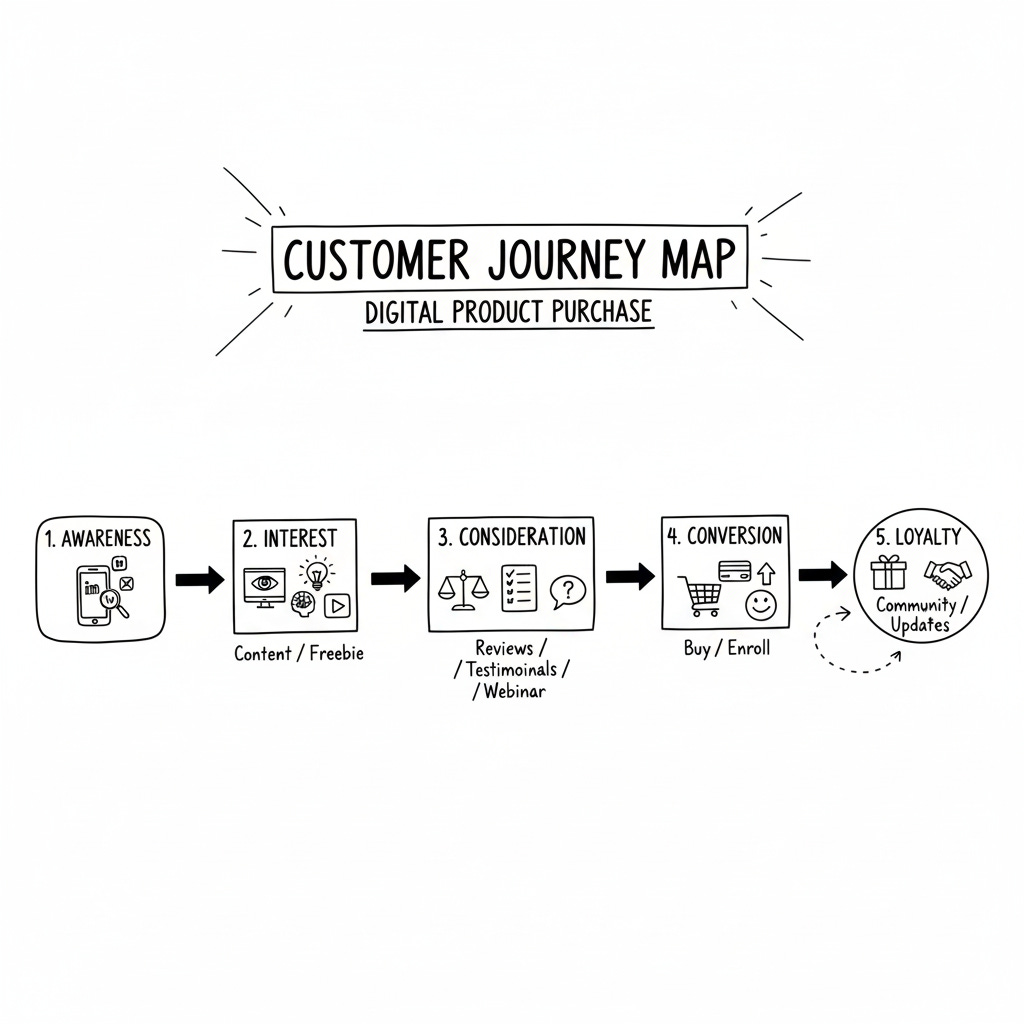
2. Whiteboard Illustrations (Educational Content)
Convert educational topics and complex concepts into clean whiteboard-style illustrations with diagrams, arrows, labels, and hand-drawn aesthetics. Nano Banana creates structured visual explanations perfect for online courses, YouTube tutorials, coaching materials, and explainer content.
The AI formats information logically with precise text rendering, making it easy for audiences to understand step-by-step processes, scientific concepts, or business frameworks.
Prompt:
Create a whiteboard illustration explaining “[TOPIC: the water cycle, sales funnel stages, photosynthesis process, customer journey map, compound interest]”

Content elements:
- Main concept in center or at top
- [NUMBER] key stages/steps/components
- Show relationships between elements with arrows or connecting lines
- Include labels for each major element

Visual style:
- Hand-drawn sketch aesthetic
- Black marker on white background
- Varied line weights for emphasis
- Simple icons or symbols to represent concepts
- Arrows indicating flow/direction/causation

Text specifications:
- Clear, readable handwritten-style font
- Important terms underlined or in boxes
- Numbered steps if sequential
- Short labels (2-4 words max per element)

Include:
- Title at top
- Logical flow from [start point] to [end point]
- Simple illustrations (no photorealism)
- Clean negative space for clarity
- Style: educational, approachable, easy to understand
The Output:
These 16 uses represent practical applications I’ve tested while building marketing assets for my digital product business. Nano Banana eliminates the friction between idea and execution…what used to require a designer, multiple revisions, and days of turnaround now happens in minutes with the right prompts.
The key is specificity.
The more detailed your prompt (target persona, exact dimensions, brand colors, mood), the more production-ready the output.
If you’re building a digital product business and want systematic approaches like this delivered weekly…no fluff, just revenue-generating frameworks…join The Digital Creator newsletter.
And if you want to learn the complete system for building and monetizing digital products with AI (including automated workflows that run your business while you sleep), the AI Digital Product Builder course is now open. It’s the exact roadmap I used to make 700+ sales without ads

Until next time - Sharyph | Founder of The Digital Creator.
Want to Sponsor the Newsletter?
Put Your Product/Service in Front of 18,000+ Creators.
Impressive demonstration of speed and strategy! Turning what would cost $12K and two weeks into three hours isn’t just efficiency, it’s a masterclass in designing AI workflows with precision and clarity. Your specificity-first approach is exactly what makes AI outputs professional and production-ready.
Thanks for sharing the prompts too. I have got to try Nano Banana!