

You write one great newsletter. Then it lives and dies in one inbox.
That’s the quiet tragedy of most creator content. You spend hours getting a newsletter right, hit publish, and then... nothing. It doesn’t become a LinkedIn post. It doesn’t become Substack Notes. It just sits there, doing one job, when it could be doing five.
I know why. Because I did this for years.
Here’s the thing: the problem was never that I didn’t know repurposing was valuable. Every creator knows it. The problem is that doing it manually is boring, slow, and easy to skip.
You finish a newsletter, you’re mentally done, and the idea of opening five more tabs to reformat the same idea for five more platforms feels like homework nobody assigned you.
So most of it never happens.
Your best thinking gets trapped in one format, for one audience, on one day.
I got tired of that. So I built a tool to fix it.
What I actually built
I call it Repurposing HQ, and the idea is stupidly simple:
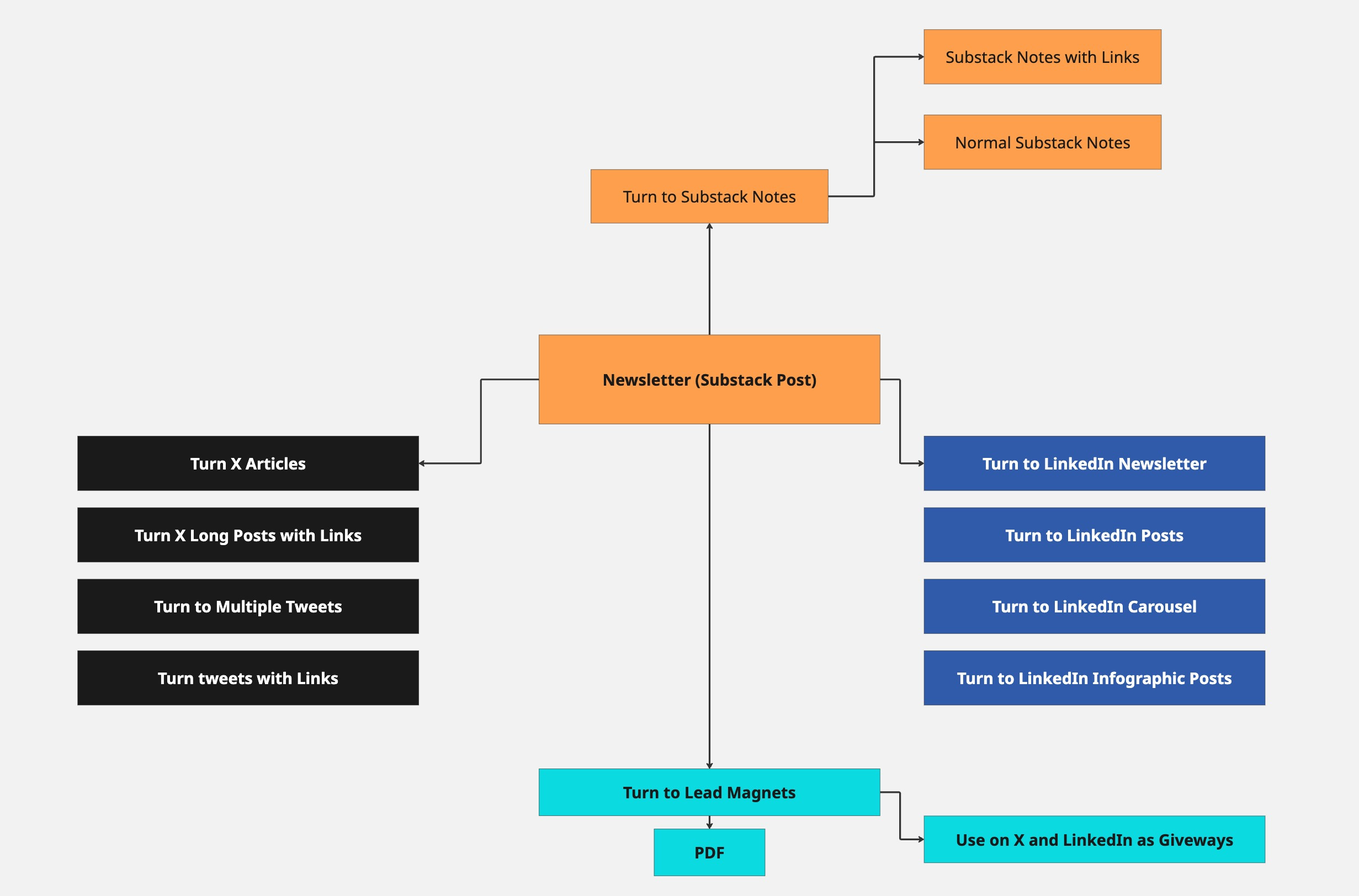
You give it one newsletter, and it hands you back a full set of platform-native content…without you touching a keyboard for the repurposing part.
You paste in a link to your Substack post, or just paste the raw text if you’d rather. The tool reads it, pulls out the clean article, and then rewrites that same core idea into the formats that actually work on each platform.
✅ A short, punchy Substack Note.
✅ A LinkedIn post shaped the way LinkedIn posts need to be shaped.
✅ A Twitter thread that opens with a real hook instead of “so I wrote a new post.”
✅ A LinkedIn newsletter version, if that’s part of your world…
Right now it does four formats. That’s the first version I built. More are coming, and I’ll get to that.
But the part I actually care about more than the formats is this: it doesn’t sound like AI wrote it. It sounds like you did.

The part that actually mattered
Anyone can wire up an AI model and tell it “turn this newsletter into a tweet.” I know, because that’s basically what I did first. And it was fine. Generic-fine.
The kind of content that’s technically correct and completely forgettable, because it reads like it came from nowhere in particular.
That’s not useful. Nobody wants five more pieces of nowhere-content clogging up their feed.
So the real work…
the part that took the most iteration…was teaching the tool your voice.
Not “a professional tone.” Your tone. Your rules. Your banned words.
The stuff you’d never say and the stuff you always say.
Here’s how that actually works: you build a Brand Voice profile inside the tool.
Then, every single time it generates something, it looks yours… Not a hypothetical writer’s voice. Yours.
I tested this the hard way.
How it’s actually built (no jargon, promise)
I’m not going to turn this into a technical post…that’s what the video walkthrough is for. But here’s the shape of it, in plain English.
There are three moving parts.
Part 1: Reading Part
When you give it a Substack link, it has to go grab the actual article and clean it up… strip out the images, the formatting junk, all the stuff that isn’t the actual writing.
If a link doesn’t work for some reason, it falls back to just reading the raw text you paste in. That way it basically never fails on you.
Part 2: Voice Part
Everything I just walked through above. Your voice, your rules, stored and reused every time.
Part 3: Writing Part
Where the actual AI comes in, which is what I use for the writing itself. But here’s the important bit: it’s not one generic prompt for everything.
Each format…the Note, the thread, the LinkedIn post…has its own specific instructions baked in, based on what actually works on that platform.
Twitter threads get a hook-first structure with a strict character limit per tweet.
LinkedIn posts get built around the “see more” cutoff, because if your hook doesn’t land in the first couple hundred characters, nobody ever taps to expand it.
Little platform-specific rules like that, applied automatically, every time.
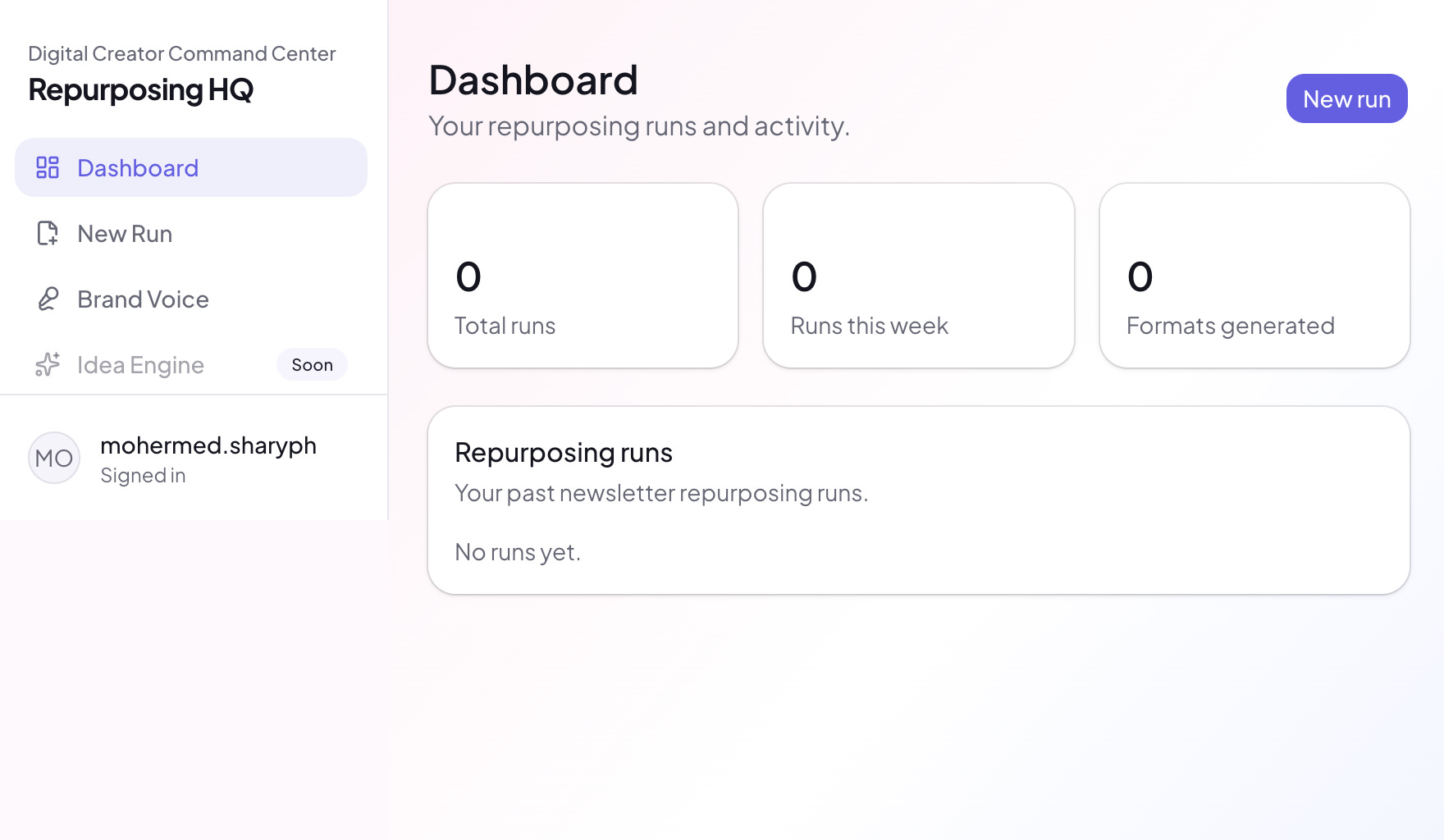
All of that lives inside a simple web app I built from scratch…
Sign in, paste your newsletter, pick your formats, hit go, and a minute or two later you’ve got a full set of drafts sitting in front of you, ready to copy and paste wherever you need them.
What this actually means for you
If you’re a creator sitting on a backlog of newsletters that never made it anywhere else, this is the fix.
Not “post more.” Not “hire a VA.” Just: take the thing you already wrote, and let a system that knows your voice turn it into everything else it should have been in the first place.
You don’t need my exact tool for this lesson to matter. Even if you never build anything, the mindset shift is the valuable part: stop thinking of repurposing as a manual chore you’ll get to eventually, and start thinking of it as a system problem. Systems get solved once.
Chores get skipped forever.
What’s next
This is version one.
Four formats, working well, tested on my own content.
Coming next:
🚀 Long-form X articles,
🚀 LinkedIn carousels,
🚀 Infographic posts,
🚀 Lead-magnet generator that turns any newsletter into a downloadable PDF with its own promotional posts attached.
The goal is one input, a full week of content, every platform covered.
And because I know some of you don’t just want to hear about this…you want to see it…Below I have shared a full video walkthrough, showing you the actual system, how it’s built, and how you could build your own version of this, step by step.
How I Build the Complete System
First let me show you the first build, what it does, and how I am going to use it.
Previous newsletter I mentioned in this video here: How to create a Brand .md file
The Complete Build
Now, let me walk you through the complete process of how I build this. Starting from researching. I have shared all, even the prompts, the struggles, the mistakes I made… above all what is my plan with this for the next version…👇